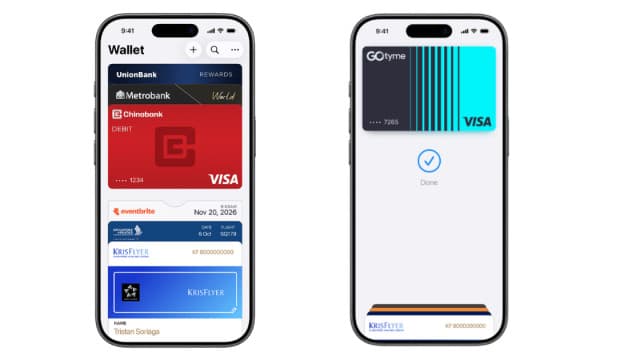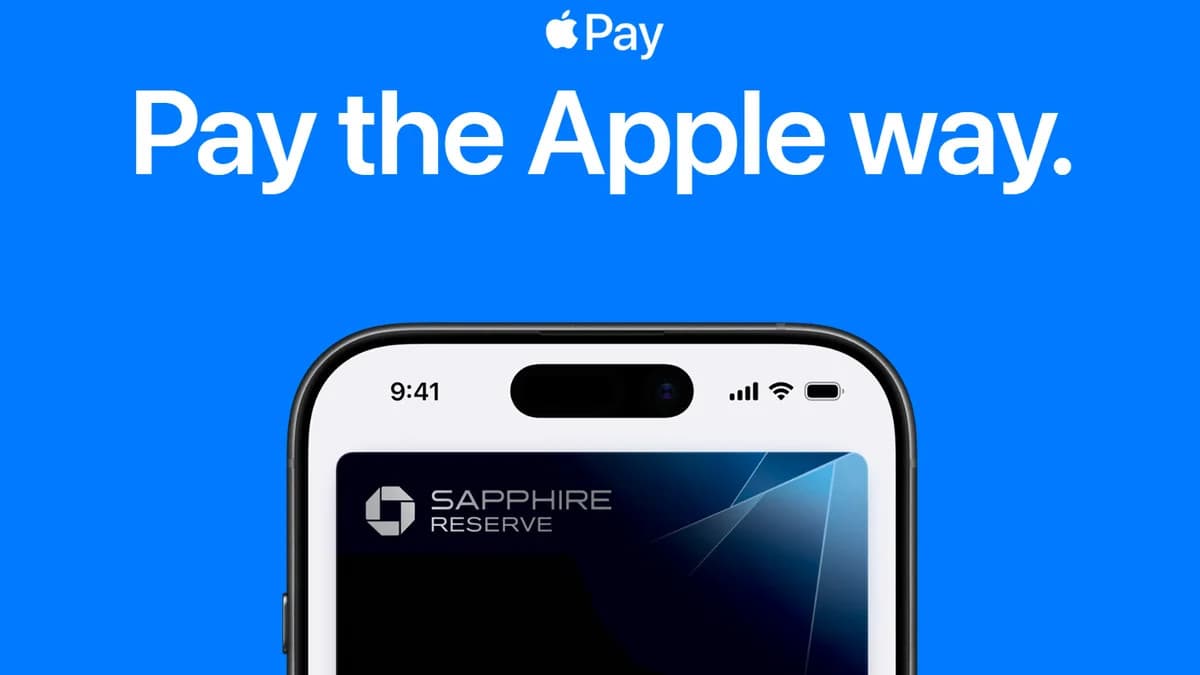
Apple Pay is now working in the Philippines with cards from four banks. Filipino iPhone and Apple Watch owners can add supported local debit and credit cards to the Wallet app and tap to pay at stores, after a quiet rollout that began on August 3, 2026, as MacRumors reported. There was no launch event and no keynote. Philippine-issued cards simply started working in Wallet before any announcement, and Apple confirmed the launch the next day in its Philippine newsroom. That makes this a milestone for contactless payments in the country, even if it arrived quietly.
Which bank cards are working so far
Apple's official list now names four Philippine banks: Chinabank, GoTyme Bank, Metrobank and UnionBank, on its Philippine Apple Pay page. Apple's announcement says the launch covers eligible debit, credit and prepaid Mastercard and Visa cards from those issuers. The same four banks were the first that Reddit users got working on launch day, as MacRumors documented.
The groundwork was visible for weeks. Several banking apps had already flipped a "Supports Wallet" flag on their cards, a pre-launch check by ASTIG.PH found, covering BPI, UnionBank, Chinabank, GoTyme Bank, EastWest and Metrobank, along with the money-transfer service Wise and the pay-later app Atome. A separate industry report on August 3 said a handful of major banks, including at least one digital lender, were preparing their launches as soon as the middle of that week, and said the initial rollout "might sound modest".
So check Apple's list before you try. If your bank is not on it, its cards will not add yet. If your card is from a listed bank and still fails, Metrobank's Apple Pay page gives the common reasons: card details typed wrongly; a card that is inactive, locked, expired or not eligible; or a device that is not compatible or not on a supported operating system.
How to add a card to Apple Wallet
These steps follow Apple's own setup guide:
- Open the Wallet app on your iPhone and tap the Add (+) button.
- Choose Debit or Credit Card.
- Tap Continue.
- Tap or hold your card close to your iPhone to add it. To type the details instead, tap Enter Card Details Manually and follow the onscreen instructions.
- Finish any extra check your bank asks for. Apple notes that some banks or card issuers might require further authentication.
Some banks also let you start from their own app. In the Metrobank app, you tap the card you want to enroll and then tap Add to Apple Wallet, per Metrobank.
Once the card sits in Wallet, it works at any terminal that accepts contactless cards. Apple Watch users add cards through the Apple Watch app on the paired iPhone: tap Wallet & Apple Pay, then Add Card.
Apple has now confirmed the launch
Apple announced the launch on August 4, 2026, in its Philippine newsroom. It said Apple Pay works on iPhone, Apple Watch, iPad and Mac, and that Maya Business will begin enabling Apple Pay for more than 5,000 online merchants. The Philippines now also appears in the Asia-Pacific section of Apple's list of Apple Pay countries and regions.
Apple also explained the security model: your actual card number is not stored on the device or on Apple's servers, and Apple does not keep transaction information that can be tied back to you.
Why it took this long
The delay was never a regulatory block. Bangko Sentral ng Pilipinas Deputy Governor Mamerto Tangonan said the central bank "didn't object to it. So, it's up to the banks," in remarks ASTIG.PH reported before the launch. Earlier in the year, GMA News Online reported that a third-quarter 2026 arrival was the working expectation, with an industry figure pointing to the technical requirements each bank had to meet for Apple Pay. That timeline held.
For context, Google Pay reached the Philippines on November 18, 2025 with nine partner banks and e-wallets, Fintech Alliance.PH announced. Apple's arrival closes the gap for the iPhone side of the market, which had been stuck with plastic cards or QR wallets. We covered the run-up to this in what was confirmed and what was still rumour about Apple Pay in the Philippines.
What it changes for how Filipinos pay
The practical win is at the terminal. Contactless card acceptance has widened fast here, and Visa and Mastercard tap-to-pay already runs across all 13 LRT-2 stations, so an iPhone with a tokenised card now covers a real share of daily spending without a physical card. Our guide to paying fares with a beep card or tap-to-pay on the LRT, MRT and buses covers where that works.
It does not displace QR wallets. GCash and Maya still dominate small-merchant payments, sari-sari stores, and person-to-person transfers, where QR Ph is the rail and Apple Pay simply does not compete. What Apple Pay does is take the card side of the wallet off the plastic.
On cost, Apple says it charges no fees for Apple Pay payments in stores, online or in apps, though your bank may charge fees when you use it overseas, according to Apple's Philippine Apple Pay page. Apple's announcement says you keep the same rewards and benefits your card already offers. Metrobank ran a ₱250 cashback for first-time Apple Pay enrollees from September 15 to October 16, 2026; it needed three Apple Pay transactions and at least ₱1,000 in total spend within 30 days, and it has now ended.
What to watch next
Two things will tell you how far this rollout goes: whether BPI and BDO join Apple's list of four banks, and whether more issuers tie rewards offers to Wallet transactions, as Metrobank's cashback did. Until then, add your card, test it at a terminal you use often, and keep your physical card in your bag.