Paying a store through a QR Ph code costs you ₱0 in fees under the rules of the Bangko Sentral ng Pilipinas (BSP), and sending money to a friend's personal QR now costs ₱10 or less on GCash and Maya after the July 2026 fee cuts. The catch is that those two scans look identical on your screen, and the fee, the limit, and your protection if something goes wrong all depend on which kind of code you scanned. This guide covers how QR Ph works, how to pay, how to get paid with your own code, and what to check before you scan.
What is QR Ph, exactly?
QR Ph is the Philippines' national QR code standard for payments. According to the BSP's QR Ph FAQ, it is based on the EMV standard — the same global specification behind chip cards — and was approved by the Philippine Payments Management, Inc. (PPMI) under BSP Circular 1055, issued on 17 October 2019. One standard means one code works everywhere: a QR Ph code generated in Maya can be scanned with GCash, a BPI app, or any other participating bank or e-wallet, much like how ATMs of different banks are interconnected.
QR Ph is not an app. There is nothing separate to download — it lives inside the app of your bank or e-money issuer. Behind every scan, the money actually moves over InstaPay, the country's 24/7 real-time transfer rail for amounts up to ₱50,000 per transaction. InstaPay's sibling rail, PESONet, is the batch service used for larger transfers that usually arrive the next banking day, and it is not what QR Ph runs on.
The standard covers two different transaction types, and the difference matters for your wallet:
- Person-to-person (P2P) — sending money to another individual's QR code. Launched November 2019.
- Person-to-merchant (P2M) — paying a business. Piloted on 30 April 2021 and fully launched on 12 October 2021, per the BSP's P2M FAQ.
Adoption is no longer a pilot-stage story. BancNet's participant list published by the BSP counts 53 participating institutions as of 31 August 2026 — GCash (G-Xchange) and Maya included — with 34 of them able to both send and receive. On the usage side, payments processor Xendit reported that QR Ph and InstaPay payments on its platform grew 198% between January 2025 and April 2026, per GMA News — even as cash on delivery still holds 23% of Philippine e-commerce value. And through the BSP–DILG Paleng-QR Ph Plus program, 1,589 local government units have pushed QR payments into public markets and tricycles as of 30 September 2026.
How to pay a QR Ph code from GCash, Maya, or a bank app
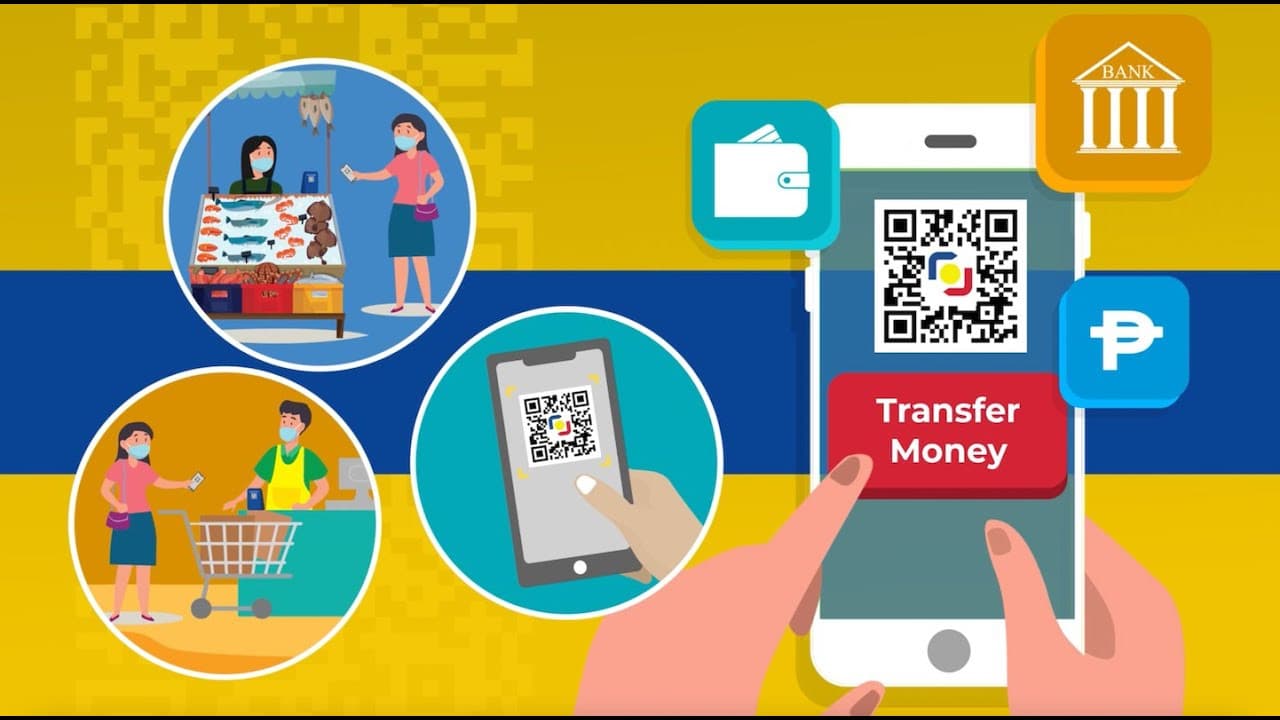
The flow is the same everywhere, because the standard is the same. The BSP's FAQ describes it in three steps: open your bank or e-wallet app and choose the transfer-or-pay-via-QR option, scan the recipient's QR Ph code and type the amount if asked, then check the details and approve.
Maya's own guide spells out the merchant version: tap Pay with QR (or Scan to Pay for codes from other banks and wallets) on the home screen, scan the code, check that the merchant's name appears, enter the amount, and tap Pay. You get a confirmation in the app and by SMS, which you show to the cashier. In GCash the equivalent lives under the QR button on the home screen; other bank apps put it under Send or Transfer.
Two details to know before you tap approve:
- The name check is your last line of defense. The app shows the registered name of the account behind the code before you confirm. If the screen says a name that is not the store or the person in front of you, cancel.
- Static vs dynamic codes. A printed code on the counter is static — you type the amount yourself. A code generated on the cashier's screen for your specific purchase is dynamic and already carries the amount. Both are QR Ph.
Fees and limits: paying a person vs paying a merchant
This is where P2P and P2M part ways. The BSP's P2M FAQ is explicit: a customer paying a merchant through QR Ph "shall no longer pay any fees." The merchant's bank or e-wallet may charge the merchant a service fee, but the buyer pays the exact sticker price. A P2P transfer to another person, by contrast, is a regular InstaPay transfer, and the sender shoulders their own app's InstaPay fee.
Those fees fell hard in July 2026, after BSP Circular 1238 lifted the fee moratorium and required charges to track actual processing costs, as GMA News reported. As of October 2026:
| Transaction | Fee | Since |
|---|
| Paying any QR Ph merchant (P2M) | ₱0 for the customer | BSP rule at full launch |
| GCash to another bank or e-wallet | ₱10 (down from ₱15) | 4 July 2026 |
| Maya to another bank or e-wallet | ₱10 (down from ₱15) | 6 July 2026 |
| GCash to GCash / Maya to Maya | Free | ongoing |
| BPI app to any bank or e-wallet | Free, permanently | 1 July 2026 |
The GCash and BPI figures were reported by PhilSTAR Life, which also notes RCBC waived fees for the first 30 InstaPay transfers a month (minimum ₱100) from 4 July 2026. Fees drift, so treat this table as a snapshot — your app shows the live fee before you confirm.
By our math, the ₱10 fee is 2% of a ₱500 transfer but only 0.02% of a ₱50,000 one — because InstaPay is capped at ₱50,000 per transaction, a BSP-mandated ceiling listed by Moneymax and confirmed in the fee coverage above. You can send multiple times a day, subject to your own app's daily limits.
How to get paid: your own QR Ph code
For freelancers, sideline sellers, and anyone tired of dictating an 11-digit number, the receive side is the quiet superpower. The BSP FAQ's generic flow: open your app, generate a QR Ph code, then show it face-to-face or screenshot it and send it over Messenger, Viber, or email. If the app asked for no extra details (like a fixed amount), the same code is reusable indefinitely — and the person paying you shoulders the transfer fee, not you.
Paano gumawa ng QR code sa GCash?
GCash's Help Center lists two routes: tap QR on the home screen, then Generate QR, then Receive Money via QR Code — or go through Send and tap Generate QR. Generating the personal code is free, and you can save the image for reuse. Menu labels move around between app versions, so look for "QR" or "Receive" if yours differs.
For small sellers: a proper merchant code
A personal P2P code works for occasional payments, but a registered business should get a merchant (P2M) QR so customers pay ₱0 in fees. On Maya Business, a verified account can download its QR from the Business Manager dashboard and print it — no point-of-sale hardware needed — with payments from any QR Ph app settling into the Maya Business Deposit account. A PRO account displays your registered business name on the customer's screen; a STARTER account displays the owner's full name. Banks offer the same through their merchant-acquiring services; the BSP's advice to interested merchants is simply to ask the bank or e-wallet where you already keep an account.
What to check before you scan
The BSP warned in April 2026 about "quishing" — malicious QR codes that route you to fake sites or divert payments — as reported by Fintech News Philippines. With 84% of Filipino adults facing a scam attempt in the past year, the BSP's checklist is worth making a habit:
- Scan only codes from sources you can verify — the store's own counter, an official invoice, a person you know.
- Inspect printed codes for tampering. The classic trick is a scammer's sticker pasted over the store's real code; feel for layers and look at the edges.
- Confirm the account name on your screen matches who you mean to pay before approving.
- If a scan opens a website instead of a payment screen, stop. Preview the URL, and never type your wallet PIN, password, or card details into a site a QR code opened. A legitimate QR Ph payment happens inside your own app and never asks you to log in again. Suspicious links in texts can also be checked against the DICT-backed ScamCheck.ph tool.
Sent money to the wrong account?
The BSP FAQ is blunt: QR Ph transactions are final and irrevocable, which is exactly why the name-check step exists. If you overpaid someone you know, the fix is informal — the BSP suggests the receiver simply sends the excess back in another transaction.
If the money went to a stranger or a scammer, act fast and go through your own provider. Report the transaction in-app or via your bank's hotline immediately, with the reference number, amount, date, and time. Under the Anti-Financial Account Scamming Act (AFASA) implementing rules the BSP issued in 2025, banks, e-wallets, and the clearing switch can place a temporary hold on disputed funds for up to 30 days and return them to defrauded customers after verification, per SunStar's report. The hold mechanism targets fraud disputes, not simple typos — another reason the ₱0-fee merchant codes, which carry the business's registered name, are safer than typing account numbers ever was.
Watch