Original Xbox games now run on PC and handhelds
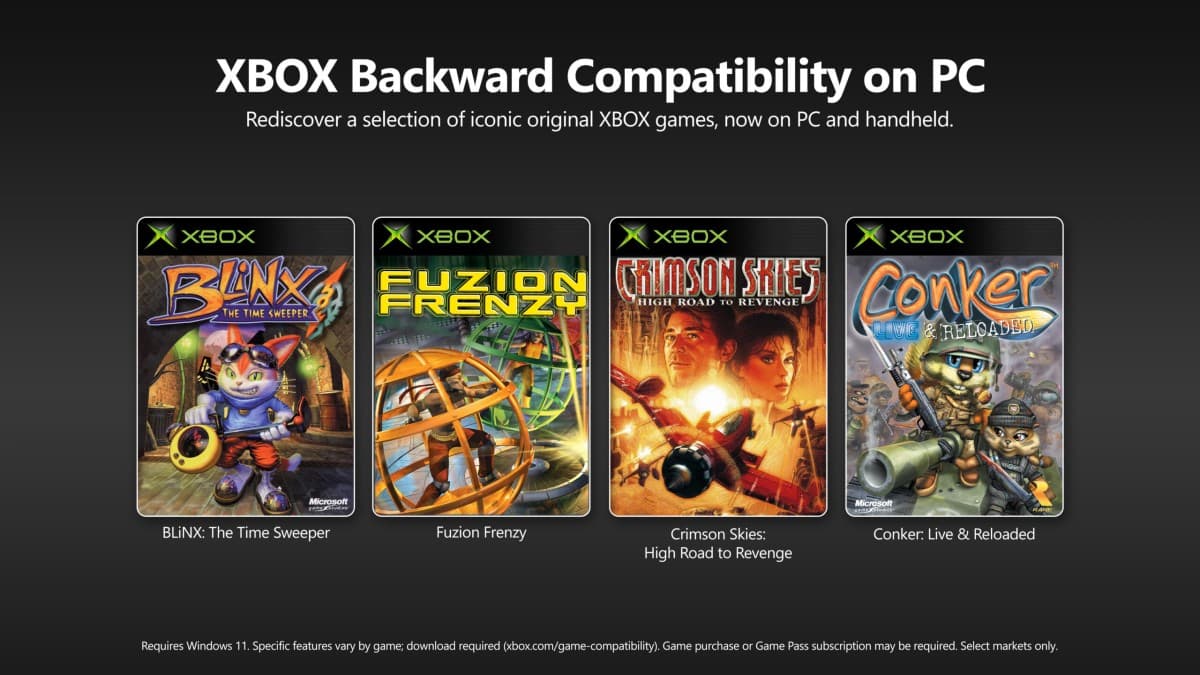
Microsoft has brought Xbox backward compatibility to PC for the first time, letting players run classic console games on Windows PCs and handheld devices. The rollout, announced on Xbox Wire, starts with four original Xbox titles and is described as the beginning of a longer effort to preserve older Xbox games and bring them to more devices over time.
The first four games
The launch lineup is a set of early-2000s Xbox classics:
- BLiNX: The Time Sweeper
- Conker: Live and Reloaded
- Crimson Skies: High Road to Revenge
- Fuzion Frenzy
All four are available to buy on PC and are included with every Xbox Game Pass plan. Microsoft says more titles will follow, framing this launch as the first stage of a wider project to make its back catalogue of original Xbox games playable on modern hardware.
How licenses carry over
One of the most useful parts of the launch is license carryover. If you already own a digital license for any of these games on an Xbox console, that license now works on PC and handheld too, so you do not have to buy the game again. Achievements for these titles are also on the way, with Microsoft saying they will arrive in the coming months of 2026. That means older purchases keep their value as players move between a console, a gaming PC, and a handheld.
Graphics upgrades and system requirements
The PC versions add options that the original console could not offer. As Android Authority reports, players can turn on up to 4x resolution upscaling, VSync, enhanced anti-aliasing, and anisotropic filtering, and switch between fullscreen and windowed modes with custom language and audio settings. Upscaling sharpens a low-resolution game so it looks cleaner on a modern high-resolution screen.
The games are not heavy on hardware. The minimum requirements call for Windows 11, a four-core CPU, 8GB of RAM, and an 8GB GPU, while the recommended setup steps up to a six-core processor and 8GB of video memory. That keeps the titles playable on modest machines and on handhelds such as the ROG Xbox Ally and Xbox Ally X in supported regions.
Why this matters
This is mainly a game-preservation move. Original Xbox games have been hard to access for years, and putting them on PC keeps them alive as the consoles that ran them age out. "Your library is more than just a collection of games. It is your personal history of epic stories and treasured memories from the past," said Jason Ronald, Xbox's VP of Next Generation Xbox, framing the effort as another step toward preserving older games. It also fits Microsoft's wider push to treat Xbox as a service that spans consoles, PCs, and handhelds rather than a single box.
What it means for Filipino gamers
For players in the Philippines, the practical hook is Game Pass. Xbox Game Pass is available here, so subscribers can play all four titles at no extra cost on a Windows PC without hunting down old hardware. PC gaming and handhelds have a large and growing base locally, and license carryover is handy for Filipinos who bought these games digitally on an older Xbox. The main caveat is that handheld support such as the ROG Xbox Ally is tied to supported regions, so local availability of specific handhelds can vary. Because the low system requirements suit budget laptops and desktops common here, the barrier to trying these classics is small.