WhatsApp now lets you write a message and set it to send anywhere from 10 minutes to 14 days later, in both one-on-one and group chats. WhatsApp announced scheduled messages on November 25, 2026, and says the feature reaches users worldwide over the coming weeks. It works with text, photos and videos.
How do you schedule a message on WhatsApp?
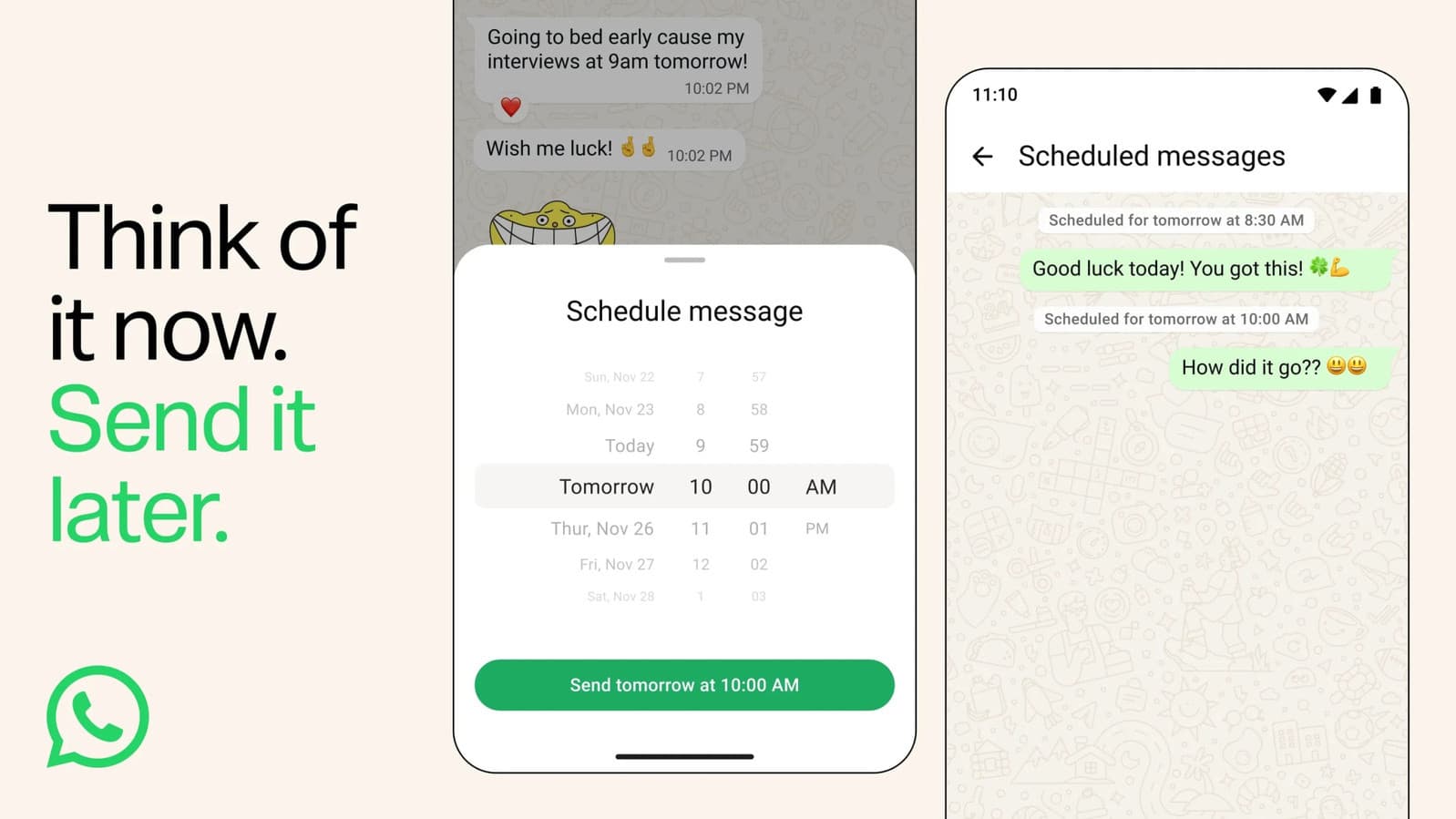
Press and hold the send button, then pick the date and time you want the message to go out. That is the whole process, according to WhatsApp's announcement. The person you are messaging sees an ordinary message when it arrives, with no label saying it was scheduled.
Step by step:
- Open the chat or group and type your message, or attach a photo or video.
- Press and hold the send button instead of tapping it.
- Choose a date and time between 10 minutes and 14 days from now.
- Confirm. The message waits until the time you set.
WhatsApp says you can see all your upcoming scheduled messages in one place and delete any of them before they send. The announcement mentions deleting, not editing, so to change a scheduled message you would delete it and schedule a new one.
What it can and cannot send
| Scheduled messages | |
|---|---|
| Earliest send time | 10 minutes from now |
| Latest send time | 14 days from now |
| Chats | One-on-one and groups |
| Content | Text, photos, videos |
| Encryption | End-to-end, like other personal messages |
Voice messages, documents and stickers are not on WhatsApp's list. Engadget's report on the launch describes the same limits: text, photos and videos, 10 minutes to 14 days ahead.
Does your phone need to be on?
No. WhatsApp says a scheduled message still goes out at the chosen time even if your phone is switched off or its battery has run out. That makes it usable before a long flight or any time you expect to be offline.
WhatsApp also says scheduled messages stay end-to-end encrypted, which means only you and the person receiving the message can read it, not WhatsApp. The announcement does not explain how a message sends while your phone is off but stays unreadable to WhatsApp, so there is no more detail to report on that yet.
Why don't I see the option yet?
WhatsApp is rolling it out gradually, "over the coming weeks", so it may reach a relative's phone before yours. The announcement does not say whether Android, iPhone, the desktop app or WhatsApp Web get it first, or which app version you need. Two things you can do:
- Keep WhatsApp updated through the Google Play Store or the App Store, so your phone is ready when the feature reaches your account.
- Check the send button now and then. Type a message, then press and hold the send button. When a date and time picker appears, the feature has arrived for you.
A long-requested feature
WhatsApp calls scheduling "one of our most requested features". It has been in development since at least February 2026. That month, MacRumors reported that the tracking site WABetaInfo had spotted the feature in an iPhone test version of the app. At that time it did not work yet. MacRumors also noted that Telegram already offered message scheduling, and that Apple's Messages app has had a similar "Send Later" option since iOS 18. Until now, iPhone users who wanted to time a WhatsApp message had to use a workaround through Apple's Shortcuts app.
What people can use it for
According to Engadget, WhatsApp's own suggested uses include wishing someone well before a test and sending a birthday message at midnight. Other uses follow from the same tool: a reminder to a family group the day before a bill is due, a greeting to someone abroad timed for their morning rather than yours, or a work message written late at night but set to arrive during office hours. Since the time picker only reaches 14 days ahead, it suits near-term reminders, not long-range planning.