You now have 15 minutes to fix a typo, swap the song or add a sticker to an Instagram Story you already shared, without deleting it and losing its views. Instagram head Adam Mosseri announced the change on November 18, 2026, and it is still reaching accounts gradually. This explainer covers what changed, the limits, and how to use it.
Can you edit an Instagram Story after posting?
Yes, but only for a short time. For up to 15 minutes after you share a Story, you can edit its text, music, stickers and drawings. After that, the Story is locked, and the only way to change it is to delete it and post it again. The feature is rolling out in stages, so some accounts may not see it yet.
In his announcement post, Mosseri listed those four elements and said the edit keeps the Story's views, likes and replies. TechTimes reported that once the 15 minutes pass, a Story cannot be changed without deleting it.
How to edit a Story you already shared
- Open your own Story within 15 minutes of sharing it.
- Tap the three-dot menu at the bottom right of the screen.
- Choose Edit Story.
- Change the text, music, stickers or drawings, then share it again.
These steps match what 9to5Mac described when the feature was announced. The editing tools are the same ones you use when making a new Story. The 15 minutes count from when you shared it, not from when you open the editor.
If you do not see Edit Story in the menu, update the Instagram app first. If it is still missing, your account has not received the feature yet.
What the limits are
- Time: 15 minutes after sharing.
- What you can change: text, music, stickers and drawings. Mosseri's post does not mention replacing the photo or video itself.
- A visible label: viewers see that the Story was changed. PetaPixel reported that edited Stories show an "edited" label, and Ubergizmo said the label sits at the top right.
Do you lose views, likes and replies when you edit?
No, according to Instagram. Mosseri's announcement says an edit keeps your views, likes and replies.
Earlier reports said the opposite, which is why some guides still warn about it. In May 2026, social media consultant Matt Navarra spotted the feature in testing, and Digital Trends wrote that an in-app warning said likes, reactions and comments would be reset. According to Ubergizmo, early prototypes found in April by reverse engineer Alessandro Paluzzi deleted the original Story and reset its engagement, and that behaviour changed before the public release. The version Mosseri announced is the one that keeps engagement.
Who has it now?
The rollout is gradual. During the May test, Digital Trends reported that only some iPhone (iOS) users had access. Since the November 18 announcement, PetaPixel and Ubergizmo have described it as rolling out to users globally, in stages. Instagram has not given a date when every account will have it, and none of the reports we read confirms a separate schedule for Android.
Why it took this long
Before this change, the only fix for a mistake was to delete the Story and repost it. That also threw away every view the Story had already collected, which matters to creators and small sellers who track Story reach.
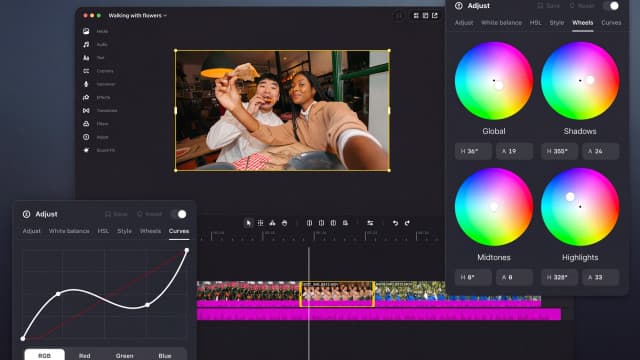
The 15-minute window is not new for Instagram. In April 2026 it let users edit comments for up to 15 minutes after posting, with a grey "edited" tag, and Stories now follow the same pattern. Instagram has also been adding editing tools elsewhere, such as its free Edits video app for Mac.
Other Story changes announced the same day
PetaPixel and Ubergizmo reported three smaller Story updates alongside the edit feature:
- an easier way to pick several photos for one collage Story;
- better backgrounds for photos that are not tall enough to fill a phone screen, with blur, solid colours and gradients;
- new sticker templates with more fonts, colours and shapes, in a simpler menu.
Like Story editing, these are reaching accounts gradually.