If you pay your Meralco bill online through the My Meralco app between 7:00 AM and 10:59 PM, it posts to your account in real time; pay through some partner banks and Meralco says it can take 2 to 3 days. That gap matters when your due date or a disconnection notice is close. This guide covers every way to pay a Meralco bill online, how fast each one posts, and which fees to check first.
Everything below comes from Meralco's official How to Pay page and the e-wallets' own pages. Meralco notes that partners, posting schedules, limits and convenience fees can change, so confirm the details in your chosen channel before you pay.
What you need before you pay
You need one number: your Customer Account Number (CAN). It is the 10-digit number on your latest bill, and Meralco says to use it in whichever channel you choose.
According to Meralco's My Meralco help page, the CAN sits in the blue box on the front of your bill. You can also scan the QR code printed at the bottom of the bill.
How to pay a Meralco bill online with the My Meralco app
My Meralco is Meralco's own app and website. When you pay, it sends you to Bayad's payment page to finish. The steps, from Meralco's help page:
- Log in to the My Meralco app or website.
- Tap Pay Now on the dashboard, or open the Billings tab and tick the unpaid bill you want to pay.
- Pay the full amount, or tap the edit icon to enter a specific amount.
- Tap Pay and Apply Changes or Pay Now, then Pay Now again on the Payment Summary page.
- Choose to sign up or continue as a guest.
- You are sent to the Bayad payment page. Accept Bayad's Privacy Notice by tapping Proceed.
- Enter your payment details and confirm.
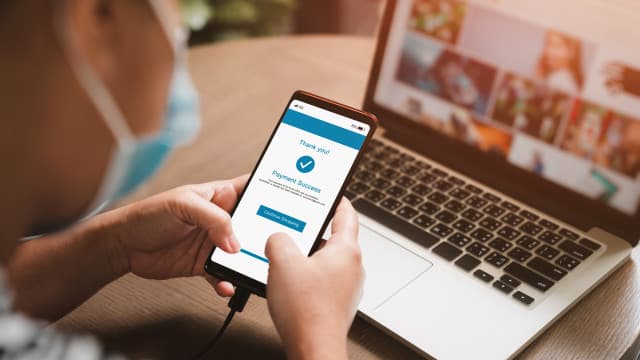
- Bayad shows a "Payment Successful" screen, and you get a confirmation by SMS or email.
When it posts: in real time, daily from 7:00 AM to 10:59 PM. A payment made between 11:00 PM and 7:00 AM shows as "Pending Payment Posting". Meralco says to check again after 24 hours or wait for its email confirming the payment.
Your receipt: the official receipt goes to your registered email. Meralco says it is not available inside the app.
Fees: Meralco's help page says a convenience fee is charged only on successful payments, so a failed payment costs nothing. Its pages do not list the amount, so check the total on the payment screen before you confirm.
To use the app you need an account. Meralco says to prepare an email address, a working mobile number, and a Meralco bill or bill deposit receipt. Only postpaid customers can register for now. If you only want to see or download your bill, our guide on checking your Meralco bill online covers that.
Paano magbayad ng Meralco online?
The short answer: open the My Meralco app, GCash, Maya or your bank's app, choose Meralco as the biller, and enter the 10-digit CAN from your bill. For the fastest posting, use a real-time channel within its hours. For an overdue bill, use a channel that accepts one, such as Bayad. The sections below explain each option.
How fast each channel posts your payment
Meralco uses the term RTP (Real-Time Payment) for channels that post your payment immediately during set hours. Outside those hours, or on a channel without RTP, posting takes longer. Here is the summary from Meralco's payment channel list:
| Channel | When it posts | Overdue bills |
|---|---|---|
| My Meralco app or website | Real time, 7:00 AM to 10:59 PM daily | Not stated |
| E-wallets marked RTP (GCash, Maya, Shopee and others) | Real time, 7:00 AM to 9:59 PM daily | Not stated |
| Other e-wallets | Next day | Not stated |
| Bayad website or app | Real time, 7:00 AM to 6:59 PM daily | Accepted |
| Bayad branches | Next day | Accepted |
| Partner banks marked RTP | Real time, 7:00 AM to 9:59 PM daily | Accepted |
| Other partner banks | 2 to 3 days | Accepted |
If your bill is close to its due date, pick a real-time channel and pay within its hours.
Paying with GCash, Maya and other e-wallets
Meralco lists these e-wallets as real-time (RTP), posting from 7:00 AM to 9:59 PM daily: Digipay, Fortunepay, GCash, Home Credit, Maya, Megapay, Peppermint, PLDT Global, Shopee, SquidPay, Starpay, Tayocash and Traxiontech.
These post the next day: BillEase, Cebuana Mobile App, Coins.ph, eCebuana, Eplayment, PalawanPay, Smart Money, Smart Padala, Tala, Venio, Xytrix and ZYBITECH (JuanCash).
In GCash, per GCash's Bills page: tap Bills on the dashboard, choose the biller category, search for the biller, enter your details, check your balance and confirm. GCash shows a receipt and sends a text confirmation. Its official fee table (updated September 10, 2026) says the bills fee varies per biller, from ₱0 to ₱100. Our GCash bills guide goes through it in more detail.
In Maya, per Maya's Bills Payment page: tap Bills on the home screen, choose the biller (MERALCO is under Electric Utility), enter the required information and amount, then confirm. Maya sends an SMS confirmation. Our Maya bills guide explains when Maya waives the fee.
One fee Meralco does publish: paying through Justpay.io costs a processing fee of 3.5% of the total plus a ₱10 system fee. By our math, a ₱3,000 bill would cost ₱115 extra (₱3,000 × 3.5% = ₱105, plus ₱10). Meralco advises checking the wallet's payment summary before you confirm, because fees and limits differ by provider.
Paying through Bayad online
Meralco says Bayad channels accept overdue Meralco bills. Paying on the Bayad website or app posts in real time from 7:00 AM to 6:59 PM daily. If you pay at a Bayad branch instead, it posts the next day; Meralco says to bring a copy of your latest bill.
Paying through your bank's app or website
Meralco's partner banks accept overdue bills. Standard posting takes 2 to 3 days, unless the bank is marked real-time.
Online banking partners marked real-time (7:00 AM to 9:59 PM daily): BDO, BPI, CIMB, GoTyme, Maybank, Optimum-All Bank, PNB, RCBC, Tonik, UNOBANK and Union Digital.
Other online banking partners on Meralco's list include Bank of Commerce, BancNet, Chinabank, DBP, EastWest, HSBC, Land Bank, Metrobank, PBCOM, Security Bank and Unionbank. These follow the standard 2-to-3-day posting.
You can also scan Meralco's QR Ph code with AUB, Maribank, RCBC or Security Bank, all marked real-time. Metrobank also takes payments through phone banking.
In your bank's app, pay Meralco as a biller using your CAN. Meralco's instruction is to use that number and follow the steps of the channel you chose, since menus differ by bank.
Setting up automatic payments
If you would rather not pay by hand each month, Meralco offers two programs. Both are set up through your bank, not through Meralco.
- Auto Charge (credit card): your monthly bill is charged to an eligible Philippine-issued credit card. Meralco lists cards from BDO, BPI, EastWest, Equicom, Metrobank, PNB, RCBC Bankard, Security Bank Mastercard and Unionbank Visa.
- Auto Debit (bank account): the bank deducts the bill from your account on the due date. Meralco lists BDO, Chinabank, PNB, RCBC, Security Bank, Unionbank and AUB.
For either one, contact your card issuer or bank to enroll and confirm eligibility.
Partial payments and overdue bills
Meralco says you can pay a specific amount toward a single bill through supported channels. It still advises paying the full balance by the deadline when you can, to avoid disconnection.
For an overdue bill, use a channel Meralco marks as accepting overdue payments: the Bayad website, app or branches, a partner bank, or an alternative payment center. Confirm acceptance and posting time with that channel before you pay.
If your payment does not show up
First, check the posting time of the channel you used. A next-day or 2-to-3-day channel will not show your payment right away. A My Meralco payment made between 11:00 PM and 7:00 AM also waits until the next posting window.
Keep the receipt or reference number from your channel. Meralco says to use it to confirm that the payment posted. If it still does not appear, Meralco's 24/7 hotline is (02) 16211, and you can also reach it by email at customercare@meralco.com.ph or through Facebook Messenger or X.