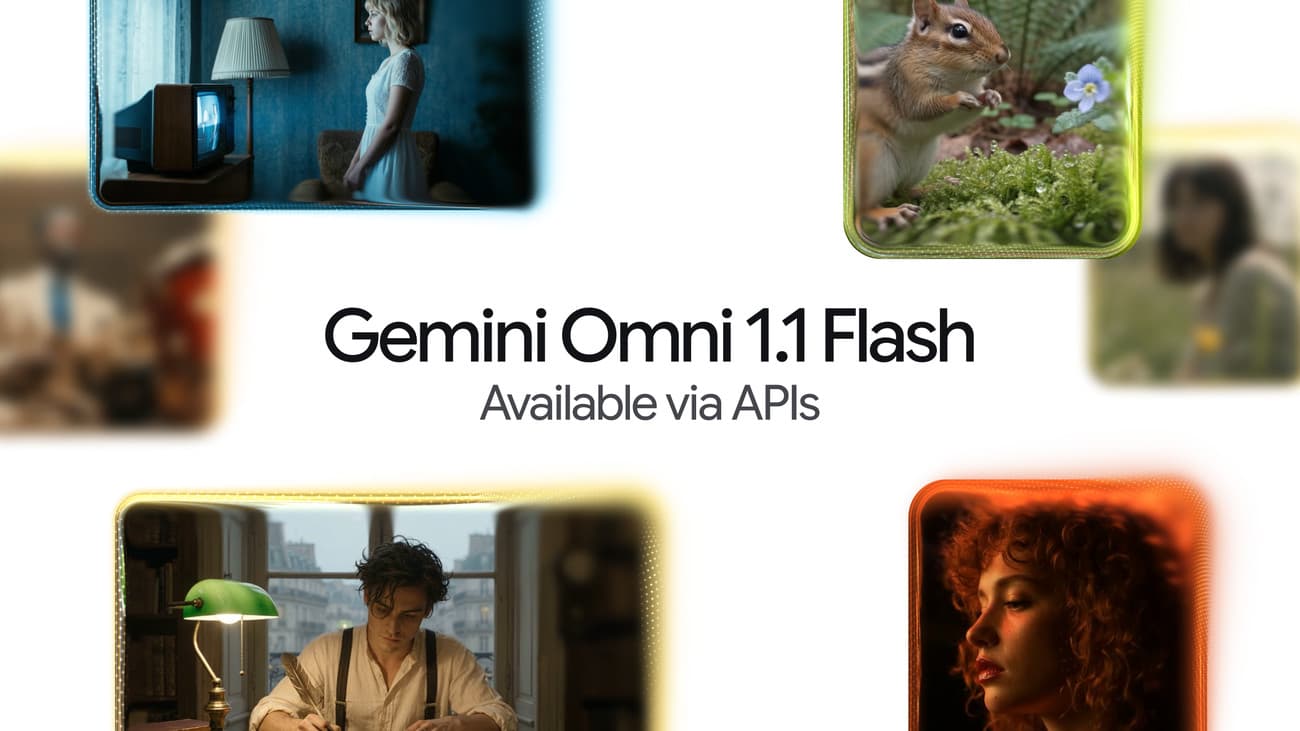
Google has released Gemini Omni 1.1 Flash, a new version of its video generation and editing model that can stretch AI-made clips to 40 seconds, lock camera movement using first-and-last-frame controls, and upscale finished shots to 4K. Google announced the model on August 27 and is rolling it out through the Gemini API, Google AI Studio, and the Gemini Enterprise Agent Platform. The headline feature, scene extension, is also reaching paying Gemini app and Flow users. Google says that rollout covers all Google AI Plus, Pro, and Ultra subscribers globally — a group that includes users in the Philippines.
Scene extension: from short clips to 40-second scenes
AI video models usually produce short clips of around 10 seconds or less. Gemini Omni 1.1 Flash works around that limit by letting you extend a generated video in 10-second increments, up to 40 seconds in total.
The quality of those extensions should also improve. According to MarkTechPost's breakdown of the release, the model now analyzes up to 10 seconds of prior footage when it generates a continuation, instead of only the final frame. Reading more context helps it keep characters, lighting, and motion consistent from one segment to the next. One structural limit remains: the model can only add footage to the end of a clip. It cannot insert new material in the middle or add footage before the start.
First-and-last-frame controls and video references
Two new controls give creators more say over how a shot plays out:
- Frame pinning. You can supply the first and last frames of a shot, and the model generates the video in between. Google says this enables deliberate camera moves, such as orbiting a subject or a dolly-zoom, that are hard to get from a text prompt alone.
- Video references. You can attach up to three short clips, each up to 3 seconds long, as references. The model uses them to keep a character or visual style consistent across new generations.
Cheaper 360p drafts, and 4K that is upscaled
Gemini Omni 1.1 Flash adds a draft mode that renders previews at 360p. Google says drafts generate up to 60% faster and cost about a third as much as 720p output, which makes it cheaper to iterate on a prompt before committing to a final render.
On the other end, the resolution options now go up to 1080p and 4K. Note that these top tiers are produced by upscaling — enlarging and sharpening a lower-resolution generation — rather than rendering natively at 4K, so fine detail may not match footage from a true 4K pipeline.
What it costs to generate
Google's Gemini API pricing page bills the model by output tokens, at a rate of 5,792 tokens per second of 720p video. In practice, that works out to roughly $0.10 (around ₱6) per second of video. Conversions here use a rate of about ₱62 per US dollar.
| Item | Price | Approx. in pesos |
|---|
| Video output, per 1M tokens | $17.50 | around ₱1,090 |
| Effective 720p video cost, per second | ~$0.10 | around ₱6 |
| Text input, per 1M tokens | $1.50 | around ₱90 |
| Text output, per 1M tokens | $9.00 | around ₱560 |
At those rates, a single 8-second 720p clip costs about $0.80 (around ₱50), and a fully extended 40-second scene lands near $4 (around ₱250) — before drafts and retries.
Runway, Adobe Firefly, and Figma Weave are already using it
Google's announcement names several early adopters, including Runway, Adobe Firefly, Figma Weave, and GMI Cloud. "Omni Flash fits naturally into how people already use Runway: start with a prompt, an image or video, then generate or edit from there," said Jamie Umpherson, Runway's chief creative officer, in the announcement. Figma Weave creative director Itay Schiff called it "one of the strongest video models available."
Can you use it in the Philippines?
There is no Philippines-specific announcement, but none is needed: Google says scene extension is rolling out globally to all Google AI Plus, Pro, and Ultra subscribers in the Gemini app, and the model is live in Google AI Studio and the API for developers. Google AI Plus, the cheapest qualifying tier, launched in the Philippines at ₱275 a month, with a ₱139 promo rate for the first six months at the time. College students in the Philippines can currently get a full year of Google AI Plus for free, which now includes this scene-extension capability at no extra cost.
One caveat for local creators: Google has fully evaluated the model only in English. Other languages are unevaluated, so prompts written in Filipino may not produce results as reliable as English ones.
What it still cannot do
The model's documentation lists several gaps. There is no support for system instructions, temperature controls, or negative prompts — the settings developers normally use to steer a model's behavior. It cannot edit voices in a clip, and it cannot take a YouTube URL as input.
Even so, the release keeps up Google's rapid pace on the Gemini line this month, following Gemini 3.7 Flash's arrival just three weeks after 3.6. For Filipino developers and creators, the practical takeaway is simple: longer, more controllable AI video is now available here on day one, priced at about ₱6 per second through the API or bundled into a ₱275-a-month subscription.