Getting an eSIM in the Philippines costs about ₱99 on each of the three big networks. That is the reported price to switch your Globe or Smart prepaid number to an eSIM, and DITO's official price for a new prepaid eSIM. The steps are not the same, though. Globe does it in its app, Smart has used its stores, and DITO cannot yet convert an existing DITO SIM at all.
This guide covers what an eSIM is, how to check your phone, and how to get one on each network. One honest note first: DITO's eSIM page loaded for us, but Globe's and Smart's official eSIM pages blocked automated access while we prepared this guide. The Globe and Smart fees and steps below come from news reports from 2024, linked on each claim. Check the GlobeOne or Smart app, or a store, before you pay.
What an eSIM is, in short
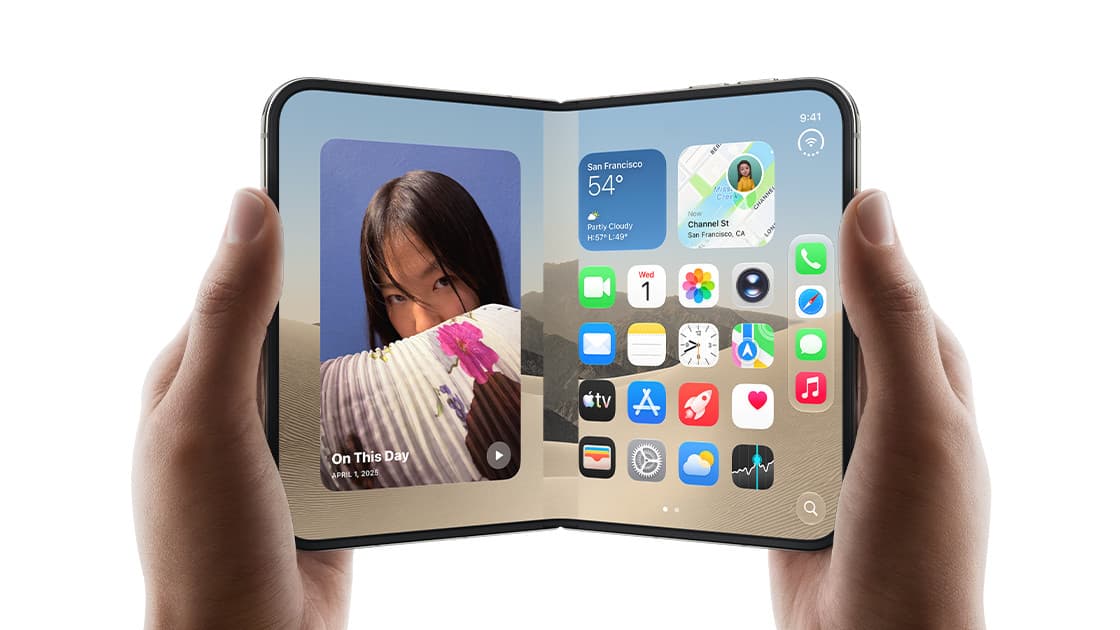
An eSIM is a SIM chip built into your phone. Instead of inserting a plastic card, you download your mobile line onto that chip. Most networks give you a QR code to scan. Your number, load and promos work the same way as on a physical SIM.
The main benefits are practical. You can keep two lines on one phone even when it has a single card slot, and you can add a line without waiting for a card.
Does my phone support eSIM?
Check this before you pay.
- iPhone: Apple says eSIM works on the iPhone XS, XS Max, XR and every later model.
- Android: DITO's compatibility guide suggests looking for an EID number under Settings > About phone (or Status), or an "Add eSIM" option in your SIM or mobile network settings. If you see either one, the phone has an eSIM chip.
- Carrier-locked phones: a phone locked to another network may not accept a new network's eSIM. Unlock it first.
DITO's own list includes the Samsung Galaxy S20 series and later, the Galaxy Z foldables, Google Pixel 3 and later, and some Xiaomi, OPPO, HONOR, Huawei, Motorola, Nokia, Sharp and Sony models. GadgetMatch noted that eSIM is usually found on flagship phones, so check your exact model if you use a budget Android phone.
If your Android phone has no eSIM chip, Smart has offered a workaround. In August 2025, Developing Telecoms reported that Smart launched an eSIM adapter: a physical SIM card, paired with an app, that holds up to five eSIM profiles. The report did not give a price.
If you are buying a used phone to get eSIM, our secondhand phone checklist covers what to test before you pay.
Globe, Smart and DITO eSIM at a glance
| Globe | Smart | DITO |
|---|
| New prepaid eSIM | ₱99 in the GlobeOne app (2024 report) | Sold online, at retailers and airport kiosks since 2023 | ₱99, DITO store or DITO app (official) |
| Keep your number (convert) | ₱99 in the GlobeOne app (2024 reports) | ₱99 at a Smart Store, prepaid (2024 report) | Not available yet (official) |
| Where | App | Smart Store | Store or app |
| Status of these facts | Not confirmed on Globe's site | Not confirmed on Smart's site | Confirmed on DITO's eSIM page |
How to get a Globe eSIM
New Globe prepaid eSIM
Globe began selling a prepaid eSIM in April 2024. GadgetMatch reported that it costs ₱99, is sold only in the GlobeOne app, and comes with 5GB of data and unlimited texts valid for three days.
After buying, Globe emails a QR code. On an iPhone you add it under Settings > Cellular; on Android you scan it in the SIM manager.
Convert your Globe prepaid SIM and keep your number
In August 2024, Globe let prepaid users move an existing number to an eSIM. TechPorn's report listed these steps, and The Post gave the same ₱99 fee:
- Open the GlobeOne app.
- Go to SIM Hub > Change SIM > eSIM. The app checks if your phone supports eSIM.
- Follow the on-screen steps and pay ₱99.
- Scan the QR code Globe sends to your email to install the eSIM.
The menu names may have changed since 2024. Look for a SIM or "Change SIM" section in the current app.
Globe postpaid
We could not confirm Globe's current postpaid eSIM process or fee from a page we could read. Postpaid subscribers should check the GlobeOne app or ask at a Globe store.
How to get a Smart eSIM
Smart's prepaid eSIM has been on sale since July 2023. According to Smart's April 2024 announcement on INQUIRER.net (a paid BrandRoom article), new Smart eSIMs are sold through the Smart Online Store, accredited retailers, airport kiosks and online shopping sites.
That same announcement set out the conversion rules:
- Smart Prepaid users: convert for ₱99 at a Smart Store. Bring your physical SIM and a valid government ID. Your number stays the same.
- Users from another network: switch to a Smart Prepaid eSIM for free. First get a Unique Subscriber Code from your current network, then bring a valid ID, a screenshot of your load balance and a signed application form to a Smart Store.
- Smart Signature and Smart Infinity (postpaid): convert at any Smart Store. No fee was stated.
The announcement quoted Lloyd Manaloto, Smart's Head of Prepaid, on the ₱99 fee and the free switch for other networks' users. These are 2024 terms, so ask the store about the current fee before you queue.
How to get a DITO eSIM
DITO's official page is the clearest of the three. According to DITO:
- Price: ₱99.
- Inclusions: 9GB of data, unlimited texts to all networks, unlimited DITO-to-DITO calls, and 150 minutes of calls to other networks, valid for 15 days.
- Where: any DITO Experience Store, or the DITO eShop in the DITO app.
- Converting a DITO physical SIM: not available yet. DITO says it is coming soon.
- iPhone note: DITO says iPhones currently get 4G data only on its eSIM.
To install it:
- Android: Settings > SIM Card Manager > Add eSIM, then scan the QR code.
- iPhone: Settings > Cellular > Add eSIM, then scan or upload the QR code.
- Register the line in the DITO app, then restart the phone.
Is the eSIM QR code one-time use?
On DITO, yes. DITO says that once a QR code is installed on one phone, it cannot be used on another device. An eSIM can only be active on one phone at a time. Keep a copy of the QR code, by email or printed, because you need it to reinstall the eSIM on the same phone.
If you lose the QR code before activation, or lose or break the phone, DITO replaces the eSIM for free through a help ticket in the DITO app. The catch: the replacement comes with a different mobile number. DITO says it processes replacements within 24 hours and asks for your receipt or order screenshot, a valid ID and the QR code if you still have it.
We could not confirm Globe's or Smart's QR code rules from their official pages. Treat any eSIM QR code as single-use until your network tells you otherwise, and do not delete an eSIM from your phone unless you know how to get it back.
Changing phones with an eSIM
This is where eSIM can cost you time. You cannot pop the card out and move it.
- iPhone to iPhone: Apple's eSIM Quick Transfer moves a number to a new iPhone when both run iOS 18.4 or later, use the same Apple Account and are near each other. It only works if your network supports it.
- DITO: its eSIM page says transfers are not yet available, while a later DITO guide says to remove the profile from the old phone and install it on the new one. The two pages disagree, so ask DITO before you wipe your old phone.
- Globe and Smart: confirm the process in the app or at a store before you switch phones.
SIM registration still applies
An eSIM is still a SIM under Philippine law. When the SIM Registration Act was passed, Globe said it would register both physical SIMs and eSIMs, so a new eSIM number has to be registered too. DITO, for example, asks you to register in the DITO app as part of setup. If you convert an existing number, you keep that same number.
Before you pay the ₱99
- Confirm your phone supports eSIM and is not carrier-locked.
- Use an email address you can open right away. The QR code arrives by email.
- Save or print the QR code before you scan it.
- Connect to Wi-Fi for setup. Apple notes that some iPhones need it to activate an eSIM.
- Check the fee in the app or store first. The Globe and Smart figures here date from 2024.
If you travel, an eSIM also makes it easy to add a local data line abroad while keeping your Philippine number. We compared that option with roaming in our explainer on Smart Infinity Roam and when an eSIM still wins.