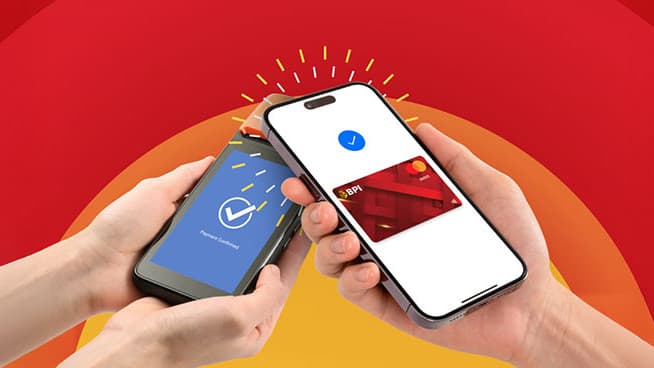
BPI Debit Mastercard holders can now pay by tapping their Android phones. The Bank of the Philippine Islands confirmed this week that its Debit Mastercard, Omni, and Free+ cards work with Google Wallet, letting cardholders pay at contactless terminals, inside apps, and on websites without pulling out a physical card. BPI's official Google Pay page lists the three eligible card types and says more cards will be added over time.
The capability has actually been live for months — in its announcement, BPI said Debit Mastercard holders have been able to add their cards to Google Wallet since a quiet rollout on April 15. This week's announcement is the bank formally switching the feature on for its whole customer base, with a how-to campaign to match.
"We want our customers to experience the ultimate blend of convenience and modern lifestyle freedom," said Maria Cristina Go, BPI's head of consumer banking. "It's about making everyday purchases simpler, faster, and seamlessly integrated into your routine, backed by the trusted security of BPI."
How to add a BPI card to Google Wallet
- Download and open the Google Wallet app on an NFC-enabled Android phone (NFC is the short-range chip that makes tap payments work).
- Tap "Add a card," then select "Payment card."
- Scan the card with your camera or type in the details manually.
- Agree to Google Pay's and BPI's terms and conditions.
- Verify the card through the one-time password (OTP) sent by SMS.
- Once verified, the card is ready for tap-to-pay.
Payments are tokenized — the phone hands merchants a substitute number instead of your real card details — and layered with device authentication, encryption, and fraud protection. BPI's standing reminder applies: never share OTPs, PINs, or CVVs with anyone, including callers claiming to be from the bank.
Where Apple Pay stands for BPI customers
The obvious follow-up: what about iPhone users? Apple Pay launched in the Philippines on August 4 with an initial bank lineup of Chinabank, GoTyme Bank, Metrobank, and UnionBank — and BPI is not yet on that list. We covered which cards work with Apple Pay in the Philippines and how to set it up at launch.
BPI insists it is ready. As early as July, president and CEO Jose Teodoro "TG" Limcaoco told GMA News that the bank had completed tokenization of its cards and that its updated terms already name Apple Pay, Google Pay, and Samsung Wallet as supported providers. "You have to ask Apple when they will go live," he said of the timing. As of publication, BPI has not announced an Apple Pay start date.
Why this matters for everyday payments
BPI is one of the country's largest retail banks, so this switch puts phone-based tap-to-pay in reach of millions of Filipino debit cardholders without routing through an e-wallet first — no topping up GCash or Maya just to pay contactless, since the money moves straight from the bank account. It lands in a market that suddenly has real momentum: Apple Pay's Philippine launch, banks racing to tokenize cards, and contactless terminals already standard at most major retail chains. For Android-carrying BPI customers, the practical upshot is simple — the debit card in your pocket now also lives in your phone, and the checkout tap costs nothing extra.