Skip to content

Xiaomi's MiMo Code Is a Free Open-Source Terminal Coding Agent That Won't Lose Track of Your Project

Xiaomi's free MiMo Code terminal agent solves AI context loss with a background memory subagent, supports multiple model backends, and ships with Xiaomi's MiMo-V2.5-Pro for free.

A
Argal
Argal
2 min read
Xiaomi's MiMo Code Is a Free Open-Source Terminal Coding Agent That Won't Lose Track of Your Project
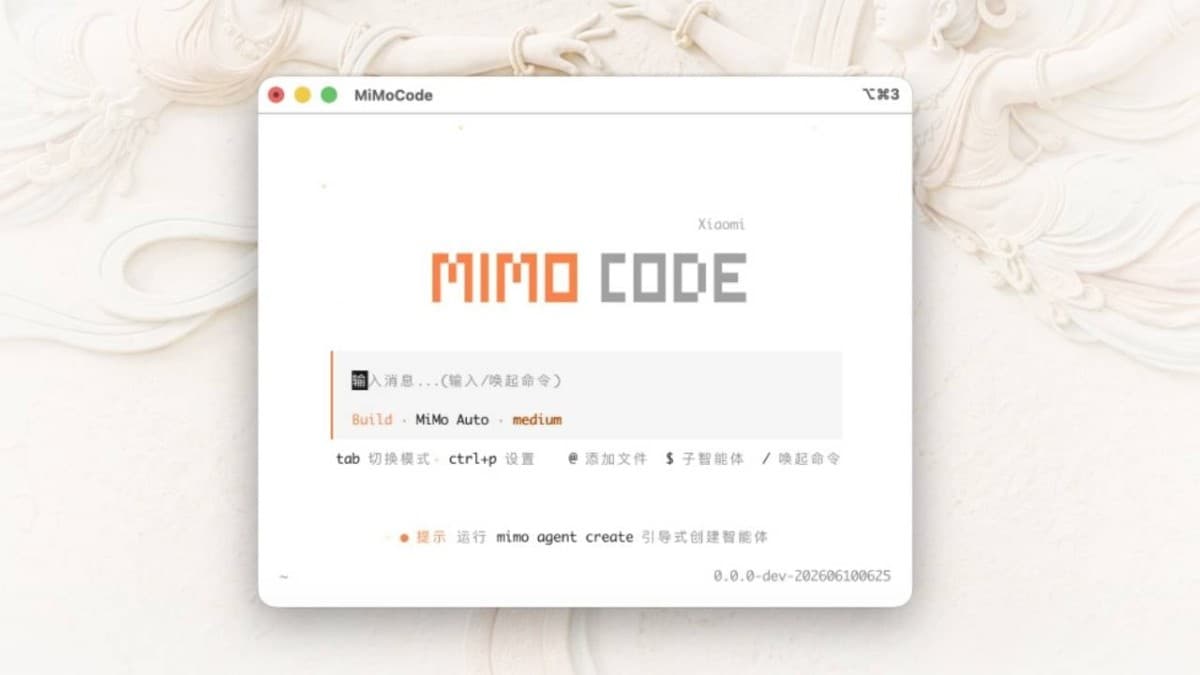
Xiaomi's MiMo Code interface running in a terminal window, showing the AI coding agent in action. Photo: NoypiGeeks

Xiaomi released MiMo Code V0.1.0 on GitHub on June 10, 2026, under an MIT license. It's a terminal-native AI coding agent built on a fork of the open-source OpenCode project, and it targets one of the most persistent frustrations with AI programming tools: losing track of earlier context mid-project.

Most AI coding assistants depend entirely on a model's active context window. When a long project fills that window, the AI starts forgetting earlier decisions. MiMo Code addresses this with a dedicated background subagent that monitors the main conversation continuously. As the context limit approaches, the subagent condenses the accumulated work into a structured summary; the main agent reads that summary and carries on as though nothing was lost.

There is also a /dream command that runs automatically every seven days. A maintenance agent reviews prior sessions, removes duplicates, verifies file paths, and compresses everything into an updated long-term memory store — roughly equivalent to a periodic project filing pass.


Out of the box, MiMo Code ships with free access to Xiaomi's MiMo-V2.5-Pro model, a 1-trillion-parameter multimodal model. No account or sign-up is required. If you prefer a different backend, the tool supports DeepSeek, Kimi, and GLM. Voice input is handled by Xiaomi's MiMo-V2.5-ASR model, letting you dictate commands, correct typos by speaking, or trigger actions with words like "send" and "execute."

Xiaomi claims MiMo Code scored 62% on SWE-Bench Pro and 73% on Terminal Bench 2, outperforming Claude Code by roughly five percentage points on both. Those benchmarks are self-reported, and should be treated cautiously until independently reproduced.

Installation is a single terminal command on macOS and Linux. On Windows, install via npm. Type mimo to launch and the setup wizard walks you through model selection.

Sources:

Explore topics related to this article

A
Argal

Argal

@argal

Clurky is a Philippine tech news site owned and run by Argal, a Philippines-born software developer based in Singapore with a Computer Science background. He covers Philippine tech, fintech, and digital services - from gadgets and AI to software and security - along with evergreen guides and explainers, all with a builder's eye for how these systems actually work. Every article is fact-checked against primary sources.

99 posts

Comments

Join the conversation

Sign in to leave a comment and reply to others.

Sign in
Loading comments...