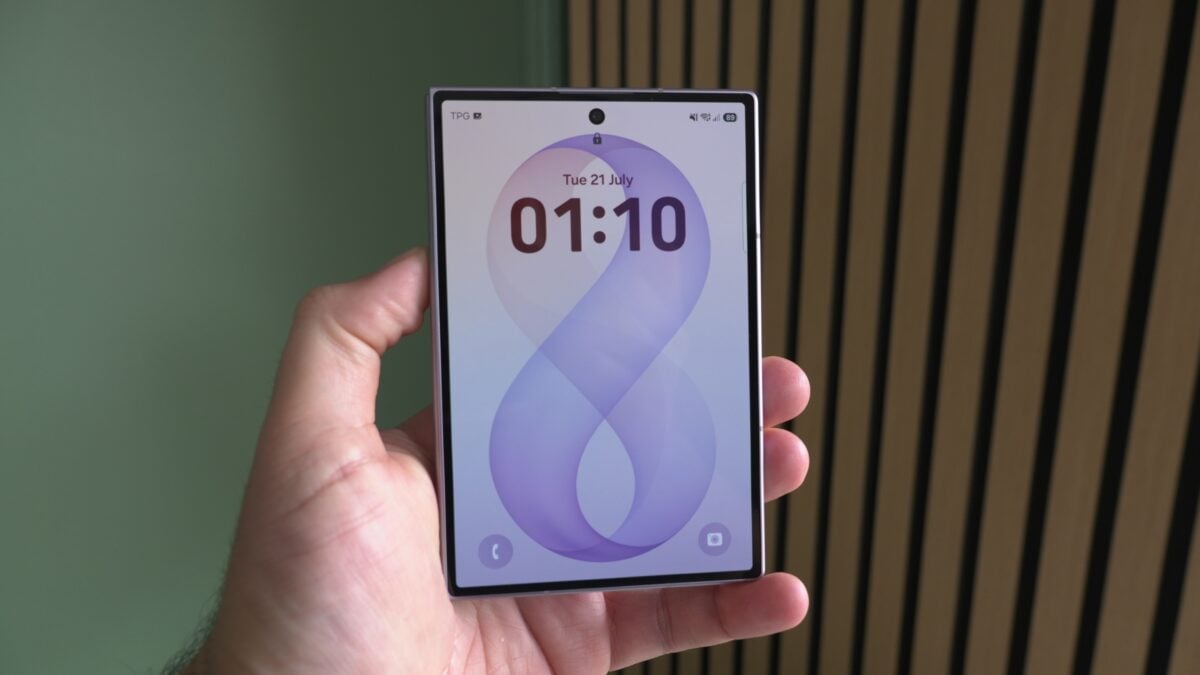
Samsung's One UI 9 will permanently lock a Galaxy phone after 13 consecutive wrong unlock attempts, and the only way back in is a factory reset that erases everything not backed up. The change is a brute-force defence — it caps how many guesses a thief gets — but it also means a forgetful owner can wipe their own phone.
The behaviour was detailed by SamMobile and independently reported by Notebookcheck, which traced it to Samsung's own support documentation.
How the One UI 9 lockout escalates
Wrong entries no longer just cost you a minute. Each failure past the fifth pushes the wait sharply higher:
| Failed attempts | Lockout |
|---|
| 5 | 1 minute |
| 6 | 5 minutes |
| 7 | 15 minutes |
| 8 | 30 minutes |
| 9 | 90 minutes |
| 10 | 4 hours |
| 11 | 12 hours |
| 12 | 24 hours |
| 13 | Permanent — factory reset required |
By the eleventh mistake you are locked out for half a day. By the thirteenth, the phone is done: no remote unlock, no support override. You reset it and sign back in with your Samsung and Google accounts.
Smart counting stops accidental lockouts
Samsung built in a safeguard that matters more than it sounds. The system uses smart counting: entering the same wrong PIN, pattern, or password repeatedly does not add a new strike each time. Only distinct incorrect entries advance the counter.
That is aimed squarely at the common accident — a phone in a pocket registering the same stray pattern over and over. The lock screen also shows a countdown timer and tells you how many attempts remain once you cross the warning threshold, so you are not walking into a wipe blind.
The 72-hour rule people forget
There is a second trap worth knowing. Android requires your PIN, pattern, or password — not a fingerprint or face scan — at set moments: after a restart, and roughly every 72 hours. If you unlock by biometrics all week and never type the code, that is exactly when you discover you have forgotten it, and now the 13-strike counter is live.
The practical advice follows from that:
- Keep a working backup unlock method you actually remember
- Type your PIN or pattern deliberately every few days instead of relying only on biometrics
- Keep Samsung Cloud, Google backup, or Smart Switch backups current, because a reset is a real possibility now
Which Galaxy phones this applies to
For now the policy applies to devices that ship with One UI 9 preinstalled — the Galaxy Z Fold8, Z Fold8 Ultra, and Z Flip8. Older Galaxy handsets that merely update to One UI 9 are not covered by the permanent-lock rule. Samsung's Philippine product page for the Fold8 confirms the phone runs One UI 9 out of the box, though it lists no local pricing.
There is one point of ambiguity: Notebookcheck also references the Galaxy S26 series in the context of One UI 9 beta testing, so the set of covered devices may widen as the software rolls out. Samsung has not published a final device list.
What it means if you just bought a Fold8 or Flip8 here
This lands directly on Filipino buyers who picked up the new foldables — the Galaxy Z Fold8, Fold8 Ultra and Z Flip8 launched locally from ₱77,990. Those are precisely the handsets shipping with the strict policy, so the risk is not theoretical for anyone holding one.
Weigh it honestly. Thirteen guesses is a genuine hardening against someone who lifts your phone and starts working through birthdays and 1234, and phone snatching is a real hazard on Philippine streets and transport. The cost is that the same wall stands between you and your own device if the code slips your mind. On a phone in this price bracket, the safe habit is simple: back up regularly, and do not let biometrics make you forget your own passcode.