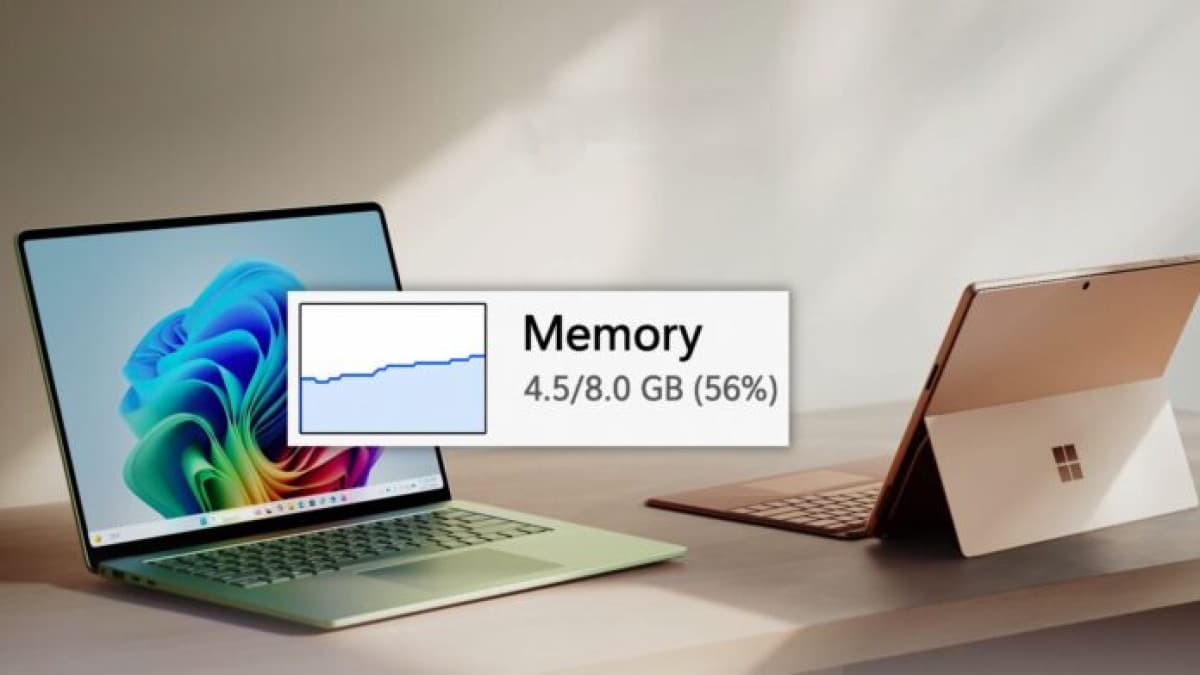
Microsoft has committed to cutting Windows 11's memory footprint on 8GB RAM PCs before the end of 2026, naming it one of four priorities for the rest of the year. For the Philippines, where 8GB is still the default on most school and office laptops on shelves, it is the most consequential item on that list.
The commitment comes from Pavan Davuluri, president of Windows and Devices, in a July 31 post titled Windows quality: an update on the commitment we made in March on the Windows Insider Blog.
The four areas Microsoft says it will fix
Davuluri listed four focus areas running through the end of 2026, in Microsoft's own wording:
- Onboarding and setup. "Delivering a faster and more efficient out-of-box experience."
- Memory optimization for 8GB and above. "Reducing Windows memory footprint to deliver a fast and responsive Windows experience across the PCs customers use every day."
- Family. "Providing a faster set up and making it easier for families to access useful parental controls."
- Voice. "Making voice more natural and fluid to interact across the apps you use every day."
These sit on top of work Microsoft started in March on performance, reliability, taskbar customisation, update disruption and File Explorer speed.
Why Windows 11 uses so much memory
The blunt answer is that large parts of Windows are web pages wearing a desktop costume.
Microsoft built widgets, parts of Settings, several inbox apps, the Start menu and Windows Search on WebView2 — a component that embeds the Chromium browser engine inside an app. Chromium is memory-hungry by design, and every feature built on it carries that cost. Third-party developers made the same choice with Electron and WebView2, so a typical desktop stacks several browser engines on top of each other.
The result is measurable. Baseline idle memory use on an 8GB machine sits near 6GB, and 16GB systems idle above 10GB, according to Microsoft's own assessments cited by Windows Latest. On an 8GB laptop that leaves very little headroom before Windows starts swapping to storage, which is what users experience as stuttering and slow app switching.
How Microsoft plans to shrink it
The main lever is moving system components off Chromium and onto WinUI, Microsoft's native interface framework, which does not need a browser engine to draw a window. Microsoft has already rebuilt the File Explorer Properties dialog in WinUI and says more legacy dialogs will follow. Alongside that, it is adopting a more efficient memory allocator to reduce overhead across apps and system components.
Two things Microsoft has not given: a target number for how much RAM it expects to save, and any benchmark to check the claim against. "8GB and above" is the only specification on offer so far.
When you will actually see it
Changes will land in Windows Insider preview builds first, then roll out gradually to everyone in increments rather than as a single update. That means the improvement arrives quietly over months, not as one restart that fixes everything.
What this means for laptop buyers in the Philippines
The timing is not accidental. Memory prices have climbed sharply as AI data centre demand consumes supply, pushing manufacturers back toward older DDR4 modules and smaller capacities — the same pressure behind Qualcomm's confirmed chip price increase from September 1. Some analysts warn entry-level PCs could disappear entirely by 2028 if the shortage holds.
For a Filipino student or first-time buyer, that changes the calculation. Upgrading to 16GB is getting more expensive, not less, so a leaner Windows 11 may be the only relief available on the machines people can actually afford. The practical advice has not changed yet, though: if your work is email, browsing, streaming and documents, an 8GB laptop is workable and should get better. If you run local AI tools, heavy photo or video editing, or dozens of browser tabs, buy more RAM now rather than waiting for a software fix that Microsoft has not put a number on.