The MMDA NCAP online violation and payment system is now built into the eGovPH Super App, so motorists can check their No Contact Apprehension Policy tickets and pay the fines straight from their phones. The Metropolitan Manila Development Authority (MMDA) and the Department of Information and Communications Technology (DICT) launched the integration on July 9, 2026 at the MMDA head office. NCAP is the camera-based system that catches traffic violations without a traffic enforcer flagging the driver down, and until now checking and settling those tickets meant using separate websites.
Key Takeaways
- The MMDA and DICT added NCAP violation checking and online payment to the eGovPH Super App, launched on July 9, 2026.
- Motorists can view a ticket's date, time, and location, then pay through bank transfer, credit or debit card, or e-wallet, with payments processed in real time.
- One eGovPH account can hold several vehicles, and multiple violations can be settled in a single transaction.
- The two agencies spent six months building the integration.
- To contest a ticket, drivers still use the MMDA's separate e-contest platform.
What changed
Before this, drivers had to visit standalone MMDA sites to see whether a camera had caught them and to arrange payment. Now those steps live inside eGovPH, the government's "super app" that gathers many public services in one place. "Through the integration, motorists can now conveniently verify NCAP apprehension records, monitor details, check payment status, and access related services anytime and anywhere," the MMDA said in its press release, as reported by the Inquirer.
The project took the two agencies six months to complete. "The successful integration was made possible through the close collaboration of the MMDA and DICT technical teams, which spent six months developing the system," DICT Undersecretary for eGovernment David Almirol Jr. said, according to the Manila Times. The ceremonial launch was led by MMDA Chairman Atty. Don Artes and DICT Secretary Henry Aguda.
How to check and pay NCAP violations on eGovPH
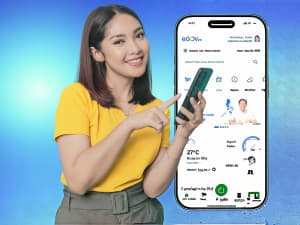
To use the feature, open the eGovPH app and look for the MMDA NCAP service, then register your vehicle. PhilStar Life reports that registration asks for the vehicle's plate number, its OR/CR details (the Official Receipt and Certificate of Registration that prove ownership), and other required information. Once the vehicle is added, the app shows any recorded violations along with the date, time, and location of each one.
For payment, motorists can settle a fine without lining up. TopGear Philippines reports that the app supports these cashless options:
- Bank transfers
- Credit and debit cards
- E-wallets
Payments are processed in real time, so a ticket should show as settled shortly after the payment confirmation. The same coverage notes two conveniences for owners of more than one vehicle: a single eGovPH account can hold several vehicles, and several violations can be paid together in one transaction, with the app showing the total amount owed.
One limit to keep in mind: paying is now in-app, but disputing a ticket is not. Drivers who want to contest an NCAP violation still have to use the MMDA's separate e-contest platform for reviews and complaints.
Security of your data
Because the service handles vehicle and payment details, the agencies say transactions in the eGovPH Super App are covered by 24/7 cybersecurity monitoring and encrypted data transmission, which they describe as compliant with data privacy standards.
Why It Matters for PH motorists
For drivers in Metro Manila, this cuts NCAP handling down to one app instead of juggling separate sites and payment channels, and it removes the trip to a payment center. The demand is real: MMDA Chairman Don Artes said the agency's MayHuliKa website — launched on June 16, 2025 to let motorists check for violations — has logged more than 15 million visits, over 11 million violation checks, and more than 2.7 million unique users. eGovPH itself is already widely used, with DICT's Almirol citing 60 million downloads, 55 million verified users, and 955 million transactions since the app launched in June 2023. Folding NCAP into that base means the tool is on a phone most Metro Manila drivers may already have. It also continues the government's push to move routine transactions online, alongside recent additions like NBI clearance renewal inside eGovPH.
FAQ
How do I register my vehicle for NCAP checking on eGovPH?
Open the eGovPH app, find the MMDA NCAP service, and enter your vehicle's plate number, OR/CR details, and the other required information. After that, the app lists any recorded violations.
What payment methods can I use to pay an NCAP fine in the app?
You can pay through bank transfer, credit or debit card, or e-wallet. Payments are processed in real time.
Can I contest an NCAP ticket inside eGovPH?
No. Checking and paying are in the app, but contesting a violation still goes through the MMDA's separate e-contest platform.
Can one account cover more than one vehicle?
Yes. A single eGovPH account can hold several vehicles, and you can pay multiple violations in one transaction.