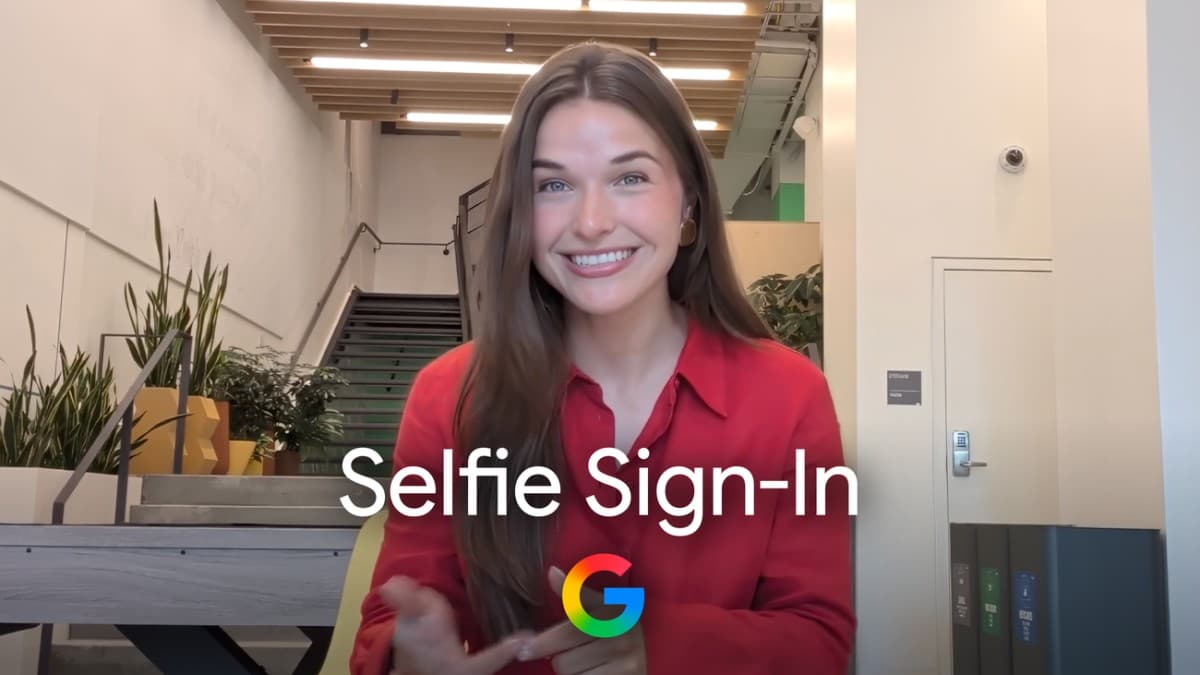
Google has added selfie video sign-in to Google Accounts, a face-based backup method for people who are locked out or away from their usual phone or laptop. Google published the feature on July 23 and you can check eligibility at g.co/signin-selfie. It is not a replacement for your password or passkey - it is another door into the account when the usual ones are closed.
What is selfie video sign-in?
It is a recovery option. You record a short video of your face once, and Google stores it on your account. Later, if you cannot sign in, you record a fresh video and Google compares the two to confirm it is you.
Google's product managers, John Gronberg and Claire Forszt, wrote that the goal is simply more options: "Selfie video gives you more options to sign in, including if you're ever locked out or don't have access to your usual phone or computer."
How to set it up
- Go to g.co/signin-selfie and check whether your account is eligible.
- Look into your device's camera. You can do this on a phone, or on a computer with a webcam - Engadget notes that a PC without a camera can hand the step off to your phone by scanning a QR code.
- Complete a few short, guided head movements - turning left or right, nodding - so the camera captures several angles of your face.
- The video is recorded and stored on your account with your consent. You can delete it later from your Google Account settings.
Engadget also reports the practical setup advice: take off glasses and masks, and keep the background quiet during the recording.
How Google checks it is really you, not a deepfake
This is the hard part of any face login. A still photo or a pre-recorded clip is easy to produce, and AI-generated video is getting harder to spot. Google's answer is a liveness check - proof that a live human is in front of the camera right now.
"When you use a selfie to sign in, we use multiple layers of security to help prevent impersonation attempts like fake photos and videos (i.e., deep fakes)," Google wrote. "For example, we match your video against your saved selfie and require you to perform simple movements to prove it's a live video. We also use our standard security practices to detect and help prevent suspicious sign-in attempts."
TechCrunch framed the launch as part of a wider industry shift, with liveness checks becoming a baseline requirement for any company handling logins, payments, or sensitive data.
Where your selfie video is stored
Google says the video is encrypted at rest, meaning it stays protected even when it is not being used. It says the recording is used only to help you sign in unless you choose to share it for other purposes, and that you can delete it at any time from your Google Account.
That is a clearer commitment than many biometric rollouts offer. It is still worth understanding the trade: you are choosing to store a biometric template of your face with a company, in exchange for a recovery route that does not depend on holding a specific device.
Which accounts cannot use it
The feature is not open to everyone. According to Engadget, selfie video sign-in is currently unavailable for:
- Google Workspace accounts (work and school accounts)
- Child accounts
- Accounts enrolled in the Advanced Protection Program
The Advanced Protection exclusion is logical. That programme is built for high-risk users such as journalists and activists, and it deliberately restricts recovery paths to hardware security keys.
Is it available in the Philippines?
Google has not published a country list. Its post says only that you can "check if your account is eligible" at g.co/signin-selfie, and neither Google nor the coverage on launch day named the markets in the first wave. So the honest answer for Filipino users is: open the link and see - eligibility appears to vary by account rather than being announced by region.
A few things worth weighing before you enable it here:
- Account recovery is a real local pain point. Losing access after a phone is lost, stolen, or reset is common, and a recovery method tied to your face rather than a handset is genuinely useful when your SIM and authenticator app are gone with the device.
- It does not replace stronger methods. Google positions this as an addition to passkeys and recovery contacts, not a substitute. Passkeys remain the more phishing-resistant way to sign in day to day.
- Biometric data is regulated here. Under the Data Privacy Act, biometric information is sensitive personal information in the Philippines, so if you enable it, know where the delete control lives before you need it.
It is the second Google account-level change in recent months aimed at the same friction point, following Chrome autofill's expansion to passports, licences, and travel details via Google Wallet.